Qwen Image 2.1 Online: Free AI Image Generator & Editor
Qwen Image 2.1 Online is a multimodal foundation studio combining text-to-image synthesis, conversational inpainting, and multi-reference conditioning in a unified neural backbone, delivering 2048×2048 resolution in 2.2–3.5s cloud inference without local GPU setups.
Try Qwen Image 2.1 Online Right Now
Generate images immediately on this page. No waiting, no external redirects, no software setup.
Architectural Workflows & Benchmarks
Explore how the unified architecture handles localized inpainting, subject consistency, and alpha channel creation.
Unified Generation2.5s Latency
Generates coherent scenes with pin-sharp bilingual typography without separate prompt decoders.
"A photorealistic neon noodle bar in futuristic Shanghai, rain-slicked asphalt, glowing kanji signs "RAMEN 2026", 8k optical bokeh"
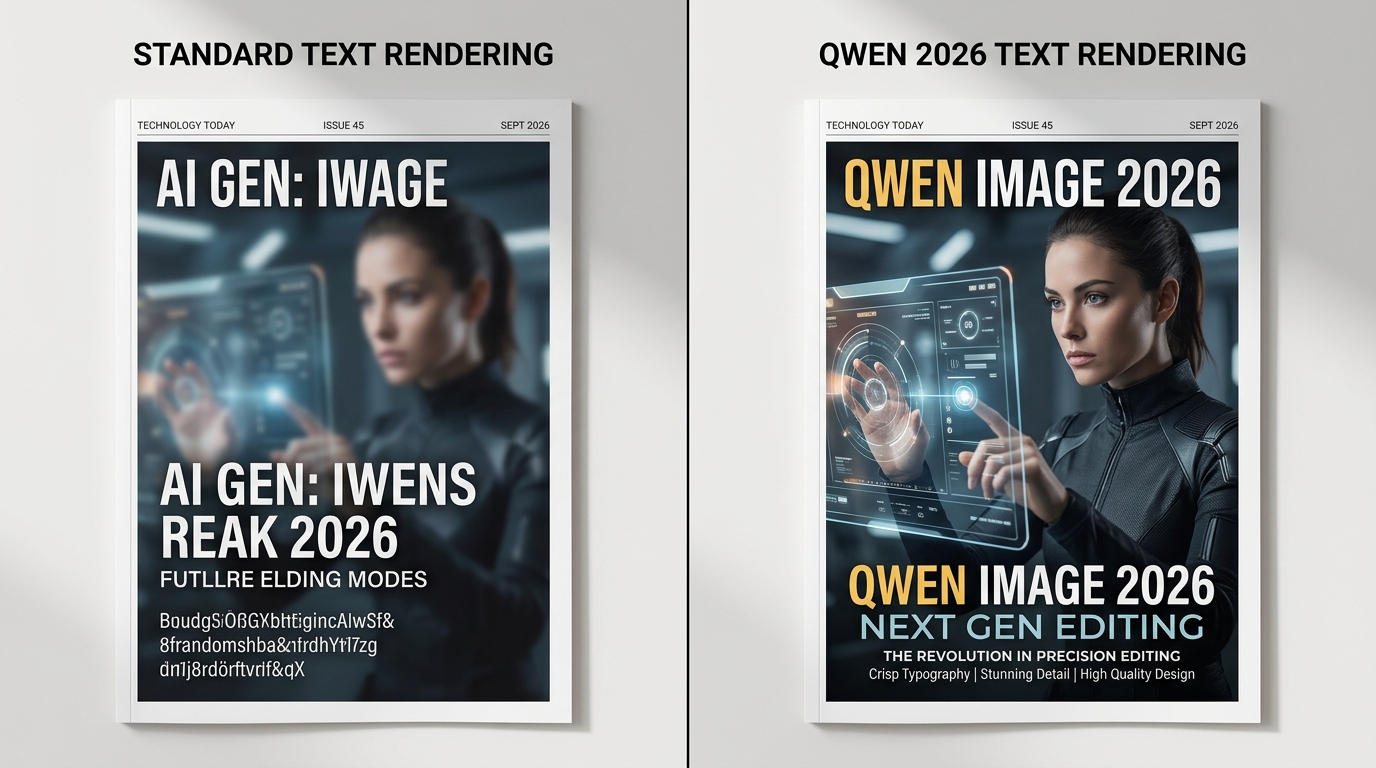
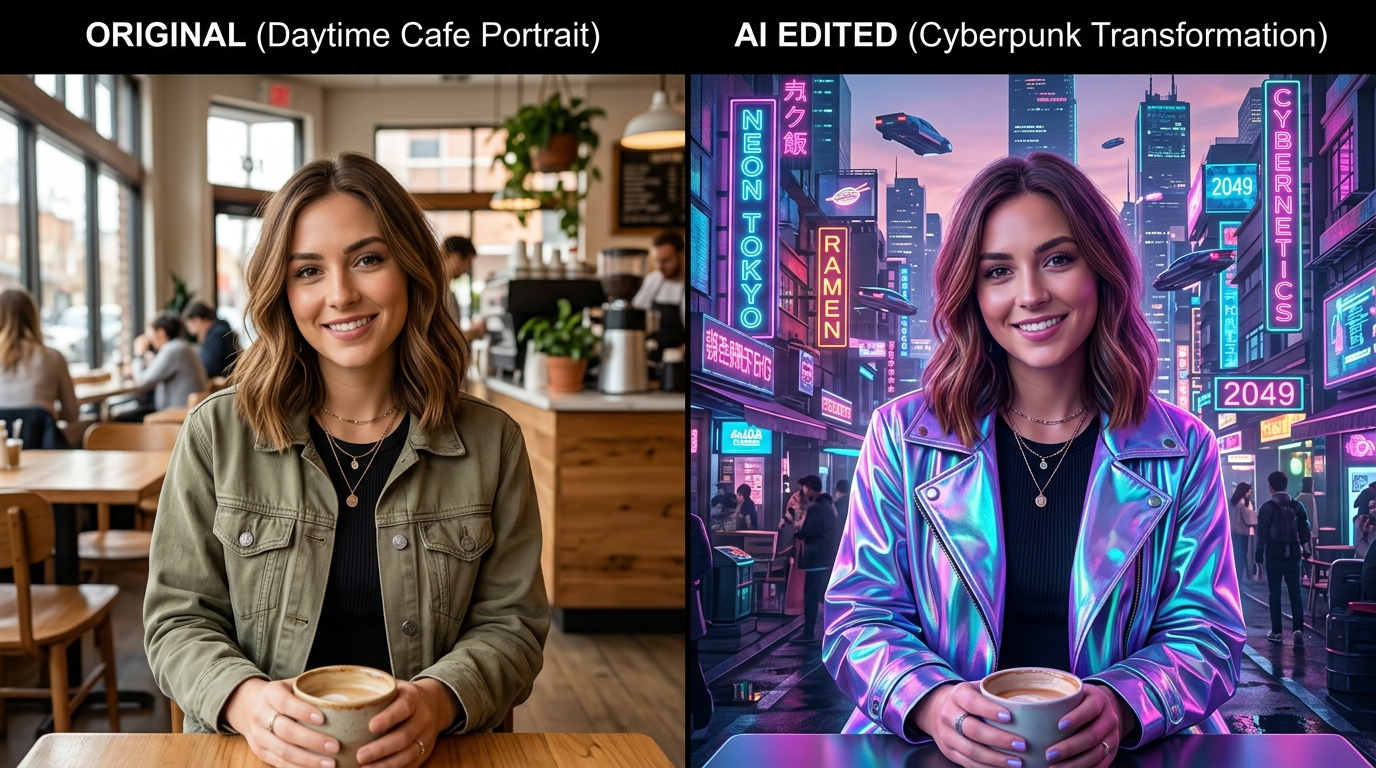
Qwen Image 2.1 Online Platform vs Local ComfyUI Setup
Evaluating setup latency, GPU hardware requirements, and maintenance overhead for creative professionals.
- Zero Setup: Immediate in-browser access across Mac, PC, Chromebook, and iPad.
- Hardware Independent: Powered by enterprise cloud clusters; no 24GB VRAM GPU required.
- Integrated Canvas: Inpaint, remove backgrounds, and stage products in one continuous session.
- Always Updated: Automatic model checkpoint upgrades without redownloading 20GB files.
- !Hardware Cost: Demands minimum NVIDIA RTX 3090/4090 (24GB VRAM) for native FP16 execution.
- !Storage Footprint: 25GB+ storage required for base checkpoints, text encoders, and VAE weights.
- !Node Complexity: Requires configuring custom nodes for multi-reference attention and inpainting masks.
- !Thermal & Power Load: Continuous high electricity consumption and fan noise during batch iterations.
How to Use Qwen Image 2.1 in 3 Simple Steps
Accelerated web synthesis without terminal scripts or complicated node graphs.
Step 1: Enter Natural Language Prompt
Type your prompt into the live studio above or upload an existing photo to perform conversational localized edits.
Step 2: Configure Aspect Ratio
Select square 1:1, landscape 16:9, or mobile 9:16 aspect ratios. The neural model aligns composition automatically.
Step 3: Download Lossless 2048px Asset
Inference completes in 2.2–3.5s. Export uncompressed PNG or WebP files with full commercial rights for client delivery.
Qwen Image 2.1 vs Midjourney v6.1 vs Flux.1 Dev
Objective evaluation across inpainting capabilities, typography rendering, and deployment costs.
| Evaluation Metric | Qwen Image 2.1 | Midjourney v6.1 | Flux.1 Dev |
|---|---|---|---|
| Unified Inpainting Model | Native T2I + Conversational Inpainting | Text-to-Image only (Discord brush edit) | Requires separate Flux Fill model |
| Multi-Reference Conditioning | Up to 10 visual inputs supported | Limited --cref / --sref weighting | Requires complex ComfyUI IP-Adapter |
| Typography Accuracy | Bilingual English + Chinese (99/100) | English short phrases only (74/100) | Latin typography only (93/100) |
| Entry Cost & Licensing | Free daily tier + $4.99 lifetime (Commercial) | $10/month mandatory subscription | Non-commercial license (24GB VRAM GPU) |
How to Craft High-Converting Prompts for Qwen 2.1
Follow this 4-part syntax formula to unlock sharp textures and accurate typography rendering.
State the core focal subject first with material descriptors (e.g., "A matte ceramic coffee mug with embossed lettering").
Specify light source and quality (e.g., "soft diffused morning sunlight from side window, gentle fill bounce").
Include optical specs (e.g., "shot on Hasselblad 100c, 85mm prime lens, f/2.8 shallow depth of field, natural bokeh").
Enclose desired English or Chinese letters inside double quotes (e.g., "text reading 'ROAST 2026' printed on label").
Frequently Asked Questions
Verified answers formatted for search engine understanding and AI citation indexers.