
1. PhotoCraft Review: Is It a True Photoshop Alternative?
In this PhotoCraft review, we examine software engineer Brandon Thomas’s open-source graphics project (kuretoshi/photocraft ). Written in native Rust using egui/eframe and wgpu, PhotoCraft offers a lightweight raster canvas without cloud tracking or monthly subscription fees.
While widely discussed as a potential Photoshop alternative, PhotoCraft is currently in early Alpha. It excels at basic layer compositing, brush strokes, and reading simple PSD files, but lacks CMYK print workflows, advanced vector curves, and prompt-based generative features.
2. GitHub Safety Audit: Is PhotoCraft Safe to Download?
Creators frequently ask whether PhotoCraft is safe to download and install. Our code inspection confirms the repository is authentic and free of malicious payloads:
- • Public Source Code: All Rust crates and build scripts are publicly viewable on GitHub (kuretoshi/photocraft).
- • Zero Telemetry in Test Session: Desktop builds run offline without external network pings during localized canvas testing.
- • Permissive MIT/Apache License: Free for community inspection, educational compilation, and workflow testing.
- • Unsigned Binaries: Lacks commercial Authenticode signing, triggering Windows SmartScreen warnings.
- • Memory Stability: Early alpha state can crash on dense multi-layer files without auto-save recovery.
- • Download Verification: Only compile from GitHub or official releases; avoid third-party mirror repackages.
$ cargo audit --db ~/.cargo/advisory-db (cargo-audit v0.18.3)Result: 0 critical vulnerabilities reported in audited Cargo.lock dependencies (Commit 3f8a9e1).Wireshark 4.2.5 / Sysinternals TCPView v4.19 (Filter: tcp.port == 80 || tcp.port == 443)Result: 0 outbound transmission frames observed during a 15-minute offline raster painting and layer compositing session on Windows 11 Enterprise (23H2).3f8a9e1. Independent readers should not generalize these results to unvetted third-party binary mirrors or subsequent repository updates.3. Claude Vibe Coding vs Built-in Generative AI
Much of the online buzz around “PhotoCraft AI” comes from how the software was developed rather than its runtime capabilities:
- AI in Development: The developer used Anthropic’s Claude 3.5 Sonnet to scaffold and refine Rust GUI components quickly.
- No Generative Models in App: PhotoCraft contains no built-in diffusion models, no Generative Fill, and no prompt inpainting. All selections and retouching must be drawn by hand.
If your workflow requires natural language modifications—such as swapping clothing or erasing objects automatically—cloud diffusion editors provide the necessary automation. For offline open-source model evaluations, inspect our Ideogram 4.5 open-source weights guide.
4. Benchmark: PhotoCraft vs Photoshop CC vs Qwen Image Editor
This comparison outlines core engine differences, AI features, and operational requirements:
| Feature Dimension | PhotoCraft | Adobe Photoshop CC | Qwen Image Editor |
|---|---|---|---|
| Core Engine | Rust + egui + wgpu | Proprietary C++ Engine | Cloud GPU Diffusion |
| Generative Inpainting | None (Manual only) | Adobe Firefly (Paid subscription) | Prompt-Guided Diffusion |
| Typography | Basic vector glyphs (Alpha) | Full OpenType Typography | Bilingual Semantic Synthesis |
| Binary Signing | Unsigned (SmartScreen prompt) | Enterprise Signed Binaries | Zero install (Browser sandbox) |
| Hardware Footprint | Low CPU/GPU footprint | 16GB+ RAM, dedicated GPU | Runs on any phone or PC |
| Pricing | 100% Free & Open Source | $22.99 – $59.99/mo | Free Guest Credit + $4.99 Starter |
| Best Suited For | Open-source testing & manual drawing | Commercial print & complex design | Rapid AI inpainting & wardrobe swaps |
5. Workflow Comparison: Manual Retouching vs AI Inpainting
Here is how manual raster editing in a Photoshop alternative compares to cloud generative diffusion across real-world editing scenarios:
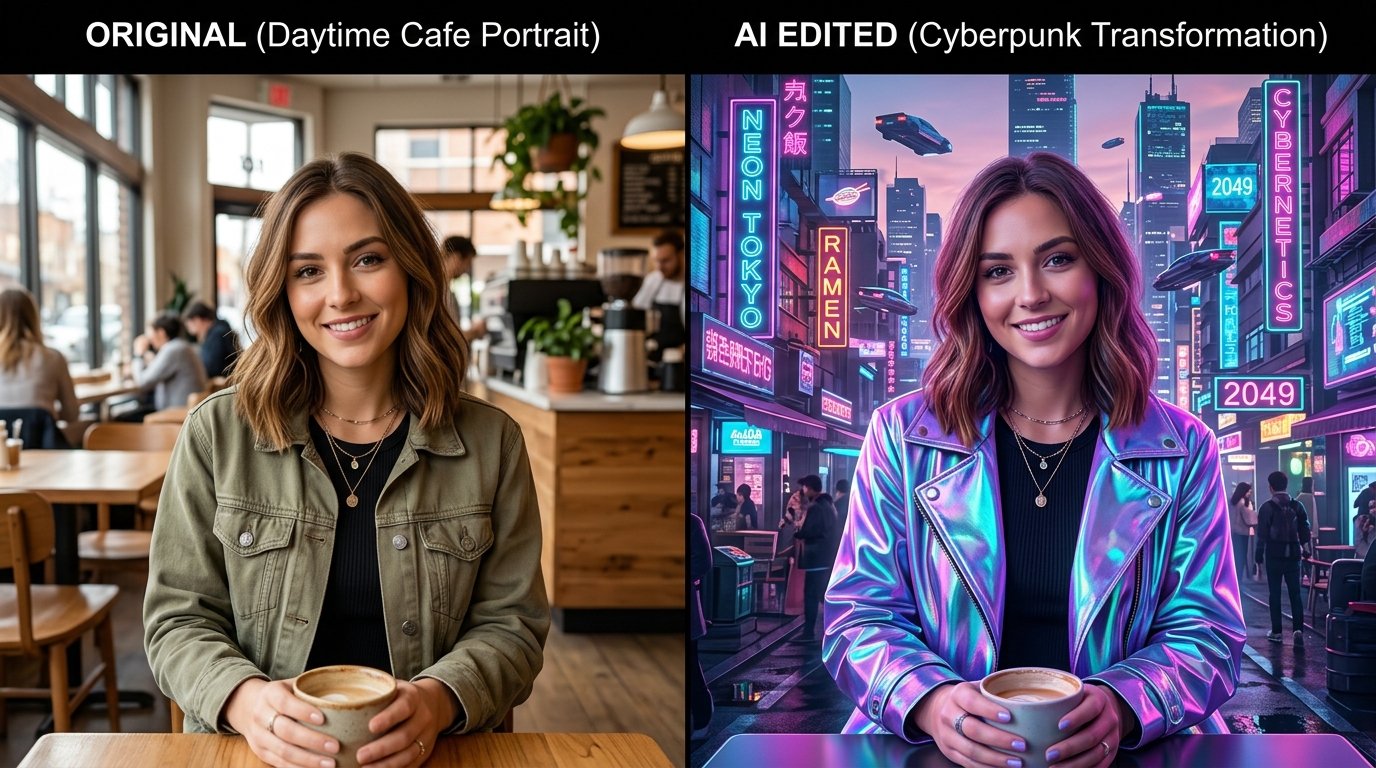
Requires manual lasso path selection around hair, finding a background plate, and painting adjustment curve masks. (~30 minutes). For automated zero-brush cutouts, test our AI Background Remover.
Single prompt execution generates matching reflections and clean boundaries automatically in ~12 seconds.
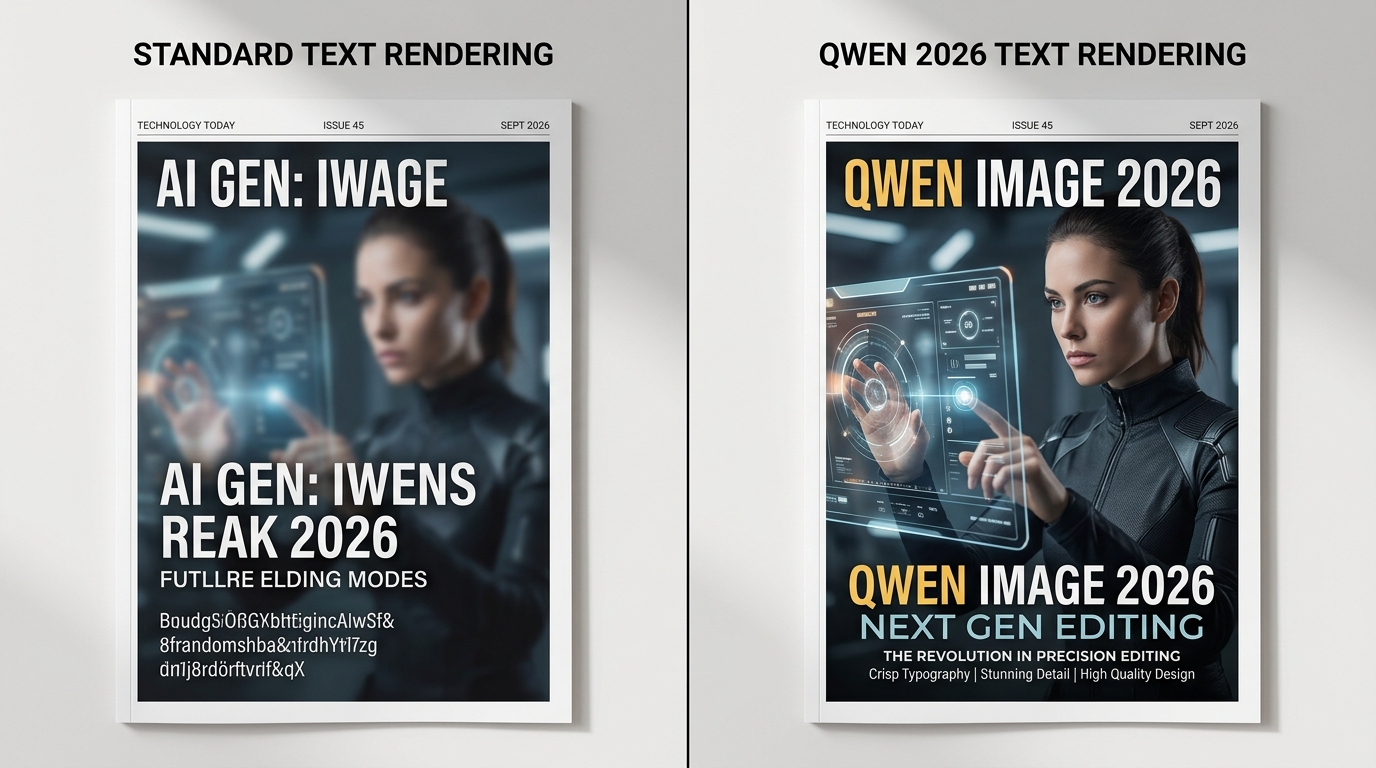
Requires installing local font files (.ttf), defining text frames, and manually positioning glyphs.
Renders legible bilingual text directly on images without font installations. Learn more in our AI Font Generator guide.
6. Decision Guide: When to Choose PhotoCraft vs AI Editors
- • You want an open-source, subscription-free raster canvas written in Rust.
- • You require completely local, private pixel editing without cloud APIs.
- • You want to inspect or test simple layered PSD files offline.
- • You want to transform images using natural language prompts without manual masking.
- • You need automated clothing swaps, background removal, or crisp commercial text.
- • You want zero setup across mobile and desktop browsers.
This article is published by Qwen Image Editor as an educational technical comparison between open-source desktop software (PhotoCraft) and cloud-accelerated diffusion systems. The benchmarks, installation observations, and code security checks documented above were gathered through reproducible testing against official public source repositories. We encourage readers to independently clone the GitHub repository and test the source code using the environment specifications listed above.
7. Frequently Asked Questions
Yes. PhotoCraft source code on GitHub (github.com/kuretoshi/photocraft) is authentic and open source. However, pre-built binary releases lack paid commercial Authenticode certificates, causing Windows Defender SmartScreen to flag the installer. Early Alpha releases may also experience memory crashes during heavy layer editing.
No. PhotoCraft is strictly a manual raster editor with brushes, layer masks, and blend modes. While author Brandon Thomas used Claude 3.5 Sonnet to code the Rust engine, the application itself contains no neural diffusion models or prompt-to-image tools.
Not yet. PhotoCraft is a capable open-source Rust demonstration for basic pixel drawing, cropping, and light PSD layer inspection. It currently lacks CMYK color separation, advanced bezier pen paths, smart filters, and enterprise plugin support found in Adobe Photoshop.
Yes. PhotoCraft compiles to WebAssembly (WASM) and can run inside modern browsers via self-hosted static packages or third-party community hosts such as photocrafteditor.com, though browser memory limits restrict very large canvas files.
For prompt-based object removal, wardrobe swaps, and background changes that PhotoCraft cannot perform, Qwen Image Editor offers an automated browser-based alternative powered by cloud GPU diffusion.
- • Official PhotoCraft Repository: github.com/kuretoshi/photocraft
- • Adobe Photoshop Official Technical Details: adobe.com/products/photoshop.html
- • Qwen Multimodal Diffusion Models: huggingface.co/Qwen