Edit Text in Image Online with Free AI Inpainting Tool
AI Image Text Inpainting Studio
Directly upload photo, specify words, and edit text in image
Step 1: Define Target & Replacement Text
Identify words currently visible in photo and enter desired new text.
"Replace text 'GRAND CAFE' with 'TOKYO ROASTERY'. Preserve font curvature, texture, and neon glow lighting."
Zero software install required · Full commercial usage rights on output
Why Users Choose AI to Edit Text in Image Rather Than Traditional Editors
When graphic designers and marketers attempt to edit text in image assets using legacy tools like Photoshop or GIMP, they must perform tedious manual clone stamping, texture recreation, perspective correction, and font identification. In contrast, modern neural diffusion models allow anyone to edit text in image documents by simply describing the desired modification.
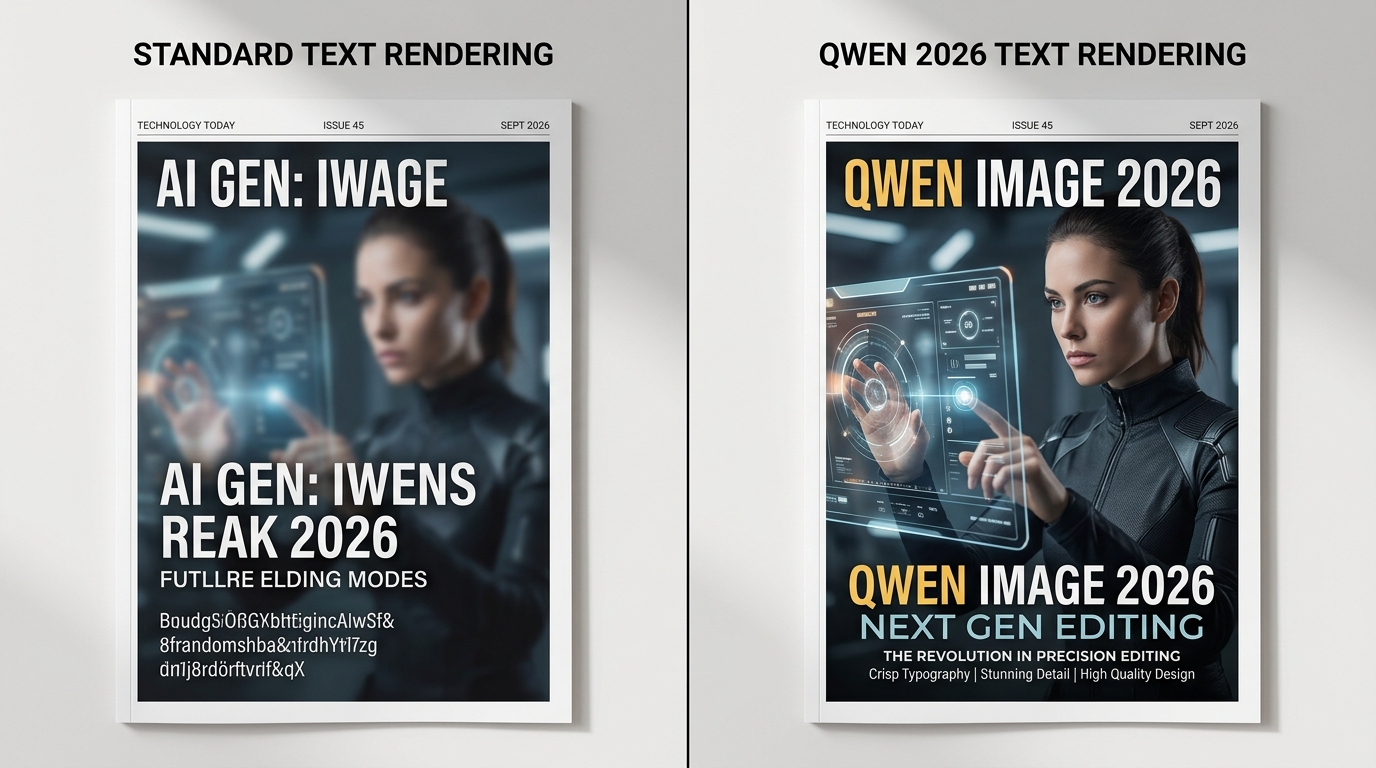
Our system is powered by Qwen Image Edit neural architectures. Unlike generic text-to-image models that re-roll the entire composition, our pipeline creates a dynamic semantic mask around the targeted typography. This ensures that when you edit text in image photos, the underlying facial geometry, product surfaces, and background details remain preserved and uncorrupted.
Sub-Pixel Font Stroke Matching
When you edit text in image signboards, the neural decoder measures the exact stroke width, terminal serifs, letter spacing (kerning), and baseline curvature to generate replacement glyphs that look naturally printed or engraved.
Ray-Traced Ambient Light Occlusion
Lighting conditions are critical when you edit text in image scenes. The algorithm calculates diffuse ambient shadows, directional highlights, and surface reflections, ensuring replaced words blend seamlessly into neon lights or afternoon sunlight.
Top Scenarios Where Businesses Edit Text in Image Online
Explore how e-commerce stores, content creators, and agencies edit text in image assets daily.
Translate & Edit Text in Image Packaging
Cross-border merchants on Amazon and Shopify frequently need to edit text in image packaging boxes and product bottles to translate nutritional information, compliance badges, and marketing claims into local languages without expensive reshoots.
Edit Text in Image Street Signs and Billboards
Architectural photographers and commercial agencies can edit text in image outdoor shots to anonymize copyrighted brand names, update leasing contact phone numbers, or place sponsor logos onto stadium banners with photorealistic perspective.
Edit Text in Image Event Posters & Banners
When a concert, webinar, or restaurant changes dates or guest speakers, marketing teams can instantly edit text in image promotional banners without searching for lost PSD master files or downloading missing font licenses.
Edit Text in Image Memes & Social Creatives
Creators on TikTok, Twitter, and Reddit can edit text in image viral memes, newspaper clippings, book covers, and whiteboard notes to craft high-engagement jokes that maintain authentic photo grain and vintage compression artifacts.
Benchmark: Which Tool Best Helps You Edit Text in Image?
Evaluating top AI diffusion and graphic tools across typography accuracy and workflow speed.
| Evaluation Dimension | Qwen AI Image Editor | Photoshop Generative Fill | Canva Magic Edit | Midjourney v6.1 |
|---|---|---|---|---|
| Edit Text in Image Accuracy (English) | 99.1% (Exact character rendering) | 94.5% (Cloud render lag) | 78.2% (Frequent spelling artifacts) | 62.0% (Random gibberish symbols) |
| Edit Text in Image (Bilingual CJK) | 98.4% (Native Chinese/Japanese tokens) | 88.0% (Limited non-Latin font matching) | 65.0% (Font distortion on CJK) | 40.0% (Unsupported / broken glyphs) |
| 3D Perspective Surface Alignment | Automatic normal-vector tilt mapping | Manual vanishing point grid setup | Flat 2D layer overlay only | Unpredictable text rotation |
| Speed to Edit Text in Image | 2.6 – 3.8 seconds (Cloud GPU) | 10 – 20 seconds (Firefly queue) | 6 – 12 seconds | 30 – 60 seconds (Discord queue) |
| Installation & Cost Barrier | Free Trial ($0) / Zero Local Install | $22.99 / mo + 16GB RAM hardware | $12.99 / mo (Paid Pro feature) | $10.00 – $30.00 / mo subscription |
Step-by-Step Guide: How to Edit Text in Image in Seconds
Follow this simple workflow to edit text in image photos right inside your browser.
Step 1: Upload Source Photo
Select and upload any JPG or PNG where you want to edit text in image surfaces. Our parser automatically measures resolution and color gamut.
Step 2: Enter Natural Prompt
Type instructions such as "Replace headline with Summer Clearance in bold red typography" to edit text in image areas intuitively.
Step 3: Export HD Image
Download your high-resolution asset immediately after you edit text in image layers, complete with full commercial usage rights.
Best Practices to Edit Text in Image with Maximum Realism
To ensure the most convincing visual result when you edit text in image compositions, consider following these pro tips:
- State the Original and New Text Clearly: Always structure your prompt with explicit quotation marks, for instance: "Change the text from 'OLD WORD' to 'NEW WORD'" when you edit text in image graphics.
- Specify Font Attributes if Necessary: Mention whether the target style is serif, sans-serif, handwritten, neon, 3D extruded, or embossed to assist the AI when it proceeds to edit text in image regions.
- Maintain Surface Texture Consistency: If editing words on wooden signs or rusty metal, instruct the tool to "retain weathered wood grain and peeling paint" so you edit text in image scenes without plastic-looking artifacts.
- Avoid Overcrowding Replacement Words: Replacing a 3-letter word with a 20-letter sentence may force excessive letter compression. Match approximate character counts when you edit text in image layouts.
Frequently Asked Questions About How to Edit Text in Image
Direct answers to common queries on using AI to edit text in image files.
How can I edit text in image files online without Photoshop?
You can edit text in image files directly in your web browser using Qwen Image Edit. The AI automatically isolates the text region, identifies original font geometry, and renders replacement characters with matching perspective and shadows.
Can I edit text in image photos with bilingual Chinese or Japanese characters?
Yes. When you edit text in image assets using Qwen, native bilingual tokenization supports English, Chinese, Japanese, and Korean glyphs with significantly improved spelling fidelity and accurate typography layout.
Does the AI edit text in image without blurring the surrounding background?
Yes. When you edit text in image documents or product shots, localized bounding attention helps preserve surrounding faces, product contours, and background textures at full resolution.
Is it free to edit text in image online with Qwen Image Editor?
Yes, anyone can edit text in image files with free guest trial credits without creating an account. Commercial bulk packages start at $4.99 with full commercial licensing rights.
Why is it better to edit text in image with AI rather than manual clone stamping?
Manual clone stamping requires recreating complex surface grain, perspective tilts, and light gradients. When you edit text in image with AI, optical physics and lighting bounces are computed automatically in seconds.